

Enabling Iptables modules in VPS
It is easy to enable iptables modules in VPS node.
Please follow these steps.
1 . Before enabling the modules to a VPS , make...
More Security for bin Files & Apche & php.ini
STEP 1 – APACHE
You need to rebuild apache, and in one of the apache steps you need to chose the “File Security” this addon...
HOW TO Install ModSecurity
HOW TO : ModSecurity
Install or Update to version 1.9.3 all same
Hello,
Open Source Web Application Firewall
ModSecurity at work
ModSecurity is an open source intrusion detection and...
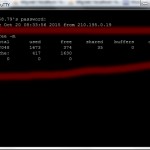
How to Check VPS Memory/RAM Usage with SSH
There are a few tools built-in to most Linux distros for gauging and fine-tuning your server's RAM (memory) usage.
The first is a command called...
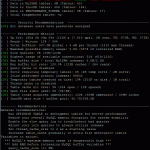
How to Optimize MySQL with MySQLTuner
MySQLTuner is a script that will assess MySQL performance and recommend steps to maximize performance. To install and run MySQLTuner, log in to your...
Change The Port for SSH
To Change The Port for SSH by easy way
Code:
pico etc/ssh/sshd_config
Press " Ctrl+W "
Code:
#Port 22
Change it to any number you want and delet "#"....
How to List All Open/Listening Ports
If you find yourself needing to check all open/listening ports that your server is using (a good idea for security), run the follow command...
How to Clear cPanel/WHM Brute Force Log from SSH
If you find that you have accidentally been locked out of your WHM/cPanel server by Brute Force Detection, you can log in to your...
How to Import/Export MySQL Databases with SSH
To Import without errors .
To export a MySQL database, access your VPS via SSH and run:
Code:
mysqldump -u username -p database_name > dumpfile.sql
To import...
How to Install Deluge Seedbox VPS on Ubuntu
Though it is one of the newest seedbox Web UIs, Deluge has proven to be a tested favorite among seeders.
Deluge offers one of the...